
Total Launcher Key
Total_AppsPersonalization
4.4146.00 Reviews
- Version
- 7
- Installs
- 10.00K
- Age Rating
- Everyone
Screenshots
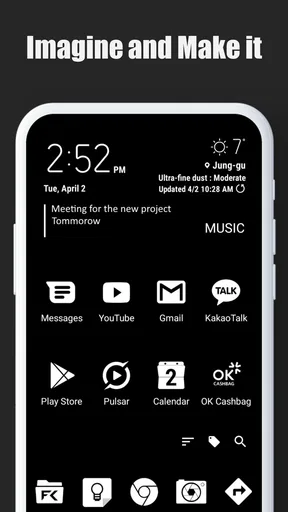
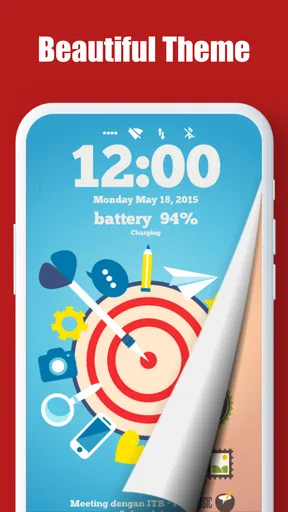
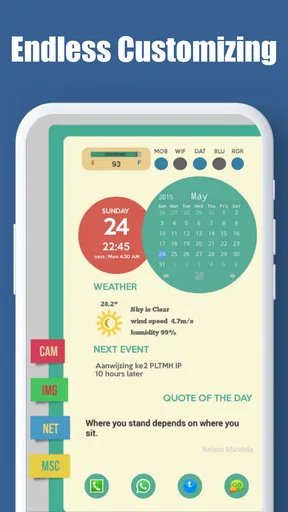
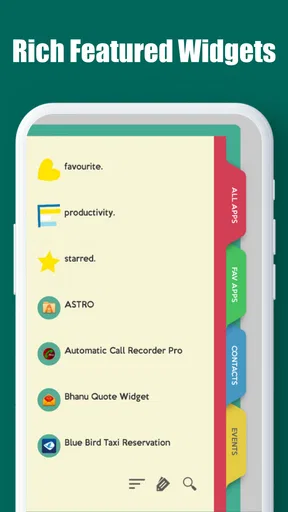
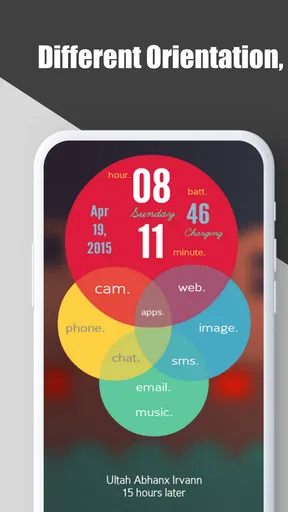
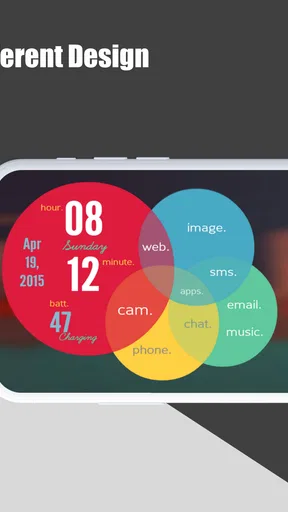
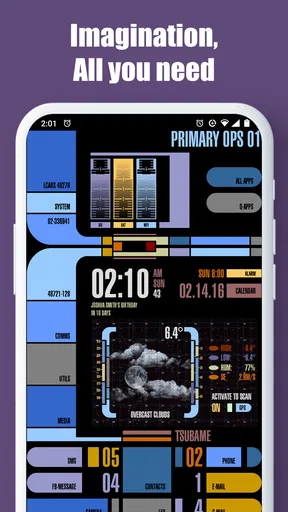
Our Review of Total Launcher Key
 Analysis by Appyee
Total Launcher Key is the kind of personalization app I would recommend only after explaining what it really is: not a complete launcher by itself, but the paid key connected with Total Launcher. Its purpose is to unlock the broader customization experience, so the value depends heavily on whether you already want to build a more personal Android home screen rather than simply replace the default one.
I approached it as a daily home-screen tool, not as a novelty. The first impression is that this is aimed at people who enjoy arranging their phone around their own habits. Instead of accepting the standard grid, I could think in terms of a workspace: the apps I open most, the information I want visible, and the shortcuts that reduce repeated tapping. That makes the app interesting for organized users, but it also means there is more setup involved than with a simple launcher.
Building a useful home screen instead of decorating one
The developer behind the app is Total_Apps, and the product sits in the personalization category. Its store message presents it as a way to turn an idea into a customized setup, but my practical reading is more specific: the key is most useful when you have a clear reason to change how your phone works. If you only want a different wallpaper or a few icon changes, a lighter customization tool may be easier.
My preferred starting point was deliberately restrained. I would first decide what belongs on the main screen, what deserves a shortcut, and what can stay in the app drawer. This prevents the common mistake of creating a visually impressive layout that takes longer to use than the default Android arrangement. The strongest results come from treating each screen area as a working zone rather than filling every available space.
For example, a practical layout could put communication apps close to the thumb, calendar and notes where they are easy to reach during the day, and less frequently used tools away from the primary path. The benefit is not simply appearance. A well-planned arrangement reduces the small delays that accumulate when I repeatedly search for the same apps.
The important shift is to design around repeated behavior, not around decoration. I found that a home screen becomes genuinely better when every visible element answers a question: do I use this often, do I need it at a glance, or does it save a repeated step? If the answer is no, it probably belongs somewhere else.
How I would approach the first setup
I would begin with one main screen and keep the first version simple. Place only the applications used several times a day, then live with that arrangement before adding more. This exposes awkward spacing and poor reachability much faster than spending a long session perfecting the layout in advance.
After that, I would create a second area for occasional tasks. This separation is useful for people who want a clean daily screen without losing access to specialized tools. It also makes later changes easier because I am adjusting a specific purpose rather than rebuilding the entire phone whenever my routine changes.
The paid key matters in this workflow because it is intended to unlock the full customization side of Total Launcher. I would not treat the purchase as an automatic improvement to every Android phone. It makes more sense when the free or basic experience has already shown that this launcher’s approach suits you and you want to keep developing that setup.
Settings worth checking before making a complex layout
Customization apps can become frustrating when visual choices and practical controls are changed at the same time. I recommend separating those decisions. First establish how the launcher behaves, then work on its appearance. That makes it easier to identify whether a problem comes from the arrangement itself or from a setting that changes how the screen responds.
Pay attention to the relationship between the home screen and the app drawer. A tidy main screen is only helpful if the rest of the app collection remains easy to navigate. I would keep a consistent rule for where new apps go and avoid creating several nearly identical pages. Extra pages can look organized at first but may turn into another form of searching.
It is also worth checking how much information you want permanently visible. A dense screen may be useful to someone who likes immediate access to many controls, while another person may find it distracting. I prefer leaving enough open space to recognize the main shortcuts quickly. This is a small design choice, but it affects how confidently I use the phone one-handed.
When adjusting the layout, I would change one group of settings at a time and test the result during normal use. Open a message, launch the camera, return to the home screen, and repeat common actions. This simple test is more revealing than judging the setup while sitting in an editor, where every arrangement feels efficient because I already know where everything is.
Another useful habit is to keep a mental record of the changes that actually improve access. If a modification only makes the screen look different, I would ask whether it is worth the extra visual complexity. The key encourages experimentation, but experienced use comes from keeping the experiments that save time and discarding the rest.
Shortcuts and repeatable patterns that make the difference
The most convincing reason to use a highly customizable launcher is the possibility of building repeatable patterns. I would group actions by context rather than by app category. A work-oriented area might contain the tools I open before a meeting, while a personal area could prioritize communication, media, and shopping. This is more useful than placing every productivity app together if those apps are rarely used in the same sequence.
A realistic everyday example is a morning routine. I might want the calendar, weather information, messages, and a note-taking tool within a small reach zone. The point is not to make the phone perform a magical routine; it is to make the sequence visible and predictable. When I leave for work, I can check the same area without scanning several pages or relying on memory.
For frequent actions, I would favor shortcuts that reduce navigation rather than simply duplicating icons. A shortcut is worthwhile when it takes me directly to a task I perform regularly. If it only opens the same app I could reach just as quickly from the main screen, it adds clutter without adding much value.
One non-obvious trade-off is that a highly personal layout can become difficult to explain to another person using the phone. If family members occasionally need to make a call or open a basic setting, an unusual arrangement may slow them down. I would keep essential functions recognizable and avoid hiding everyday tools behind an elaborate structure.
Another practical tip is to design for change. Apps come and go, routines shift, and a shortcut that made sense during one project may become dead weight later. I would review the home screen occasionally and remove items that no longer earn their space. This keeps the launcher from turning into a visual archive of old habits.
I also recommend testing the setup when distracted. A layout that works while concentrating may fail when I am walking, carrying something, or trying to respond quickly. Larger touch targets and clear spacing can matter more than fitting every desired tool onto one screen. Personalization is successful when it remains usable under ordinary pressure.
Where the customization approach can become demanding
The main limitation is the learning curve. A conventional launcher usually asks me to place icons, choose a wallpaper, and move on. Total Launcher’s appeal is that it invites more deliberate construction, which also means more decisions. Users who want instant simplicity may find the process excessive, especially if they do not already know what they want from a replacement home screen.
There is also a risk of over-optimization. Once I start adjusting every part of the layout, I can spend more time refining the system than benefiting from it. My advice is to set a small goal, such as making communication easier or separating work from personal apps, and stop when that goal is met. The key should support a useful setup, not become a project with no finish line.
Compared with a standard Android launcher, this option is better suited to people who want control over the structure of their home screen. The default choice is usually faster to understand and less likely to need maintenance. Compared with simpler personalization apps, Total Launcher’s route is more about arranging an entire working environment than applying a surface-level theme.
That difference also explains who should skip it. I would not choose this key for someone who changes phones often, dislikes configuring software, or wants the home screen to remain almost identical to the manufacturer’s design. I would also hesitate to recommend it to a person who expects a purchase to provide value without spending time on setup. The benefit is tied to participation.
Compatibility is another point to consider before installing. The app requires Android 8.0 or later, so an older device may not be suitable. On supported phones, I would still expect the experience to vary with the device’s screen size and Android interface. A layout that feels comfortable on a large display may need fewer elements and more generous spacing on a compact one.
What the purchase means in practical terms
The listed price is $7.99, and the content rating is Everyone. I see the price as reasonable only for a user who expects to keep a customized launcher setup for a long time. It is harder to justify if I am merely curious or if I tend to return to the default launcher after a few days.
The app has an average rating of 4.4 from around 1.1 thousand ratings, with roughly 146 written reviews, and it has passed 10 thousand installs. Those figures suggest a focused audience rather than a mass-market utility. I would read that as a sign that the app appeals strongly to a particular kind of Android user, not as proof that every phone owner will enjoy its approach.
It was released on February 23, 2015, and the current version is 7. That history gives the product a more established identity than a brand-new customization experiment, but it also makes it sensible to judge the interface by your own expectations. People who want the newest, most familiar Android conventions may prefer a launcher that follows the latest system design more closely.
Before paying, I would try the available Total Launcher experience long enough to answer three questions. Can I find my most-used apps faster? Does the layout remain comfortable after several days? Am I willing to maintain it when my routine changes? If the answer to all three is yes, the key has a clear purpose. If not, the default launcher may be the better choice.
Who gets the most from a carefully built setup
I think this is best for Android users who have stable routines and enjoy making their phone fit those routines. Someone managing several roles, such as work, study, and personal communication, may appreciate separate visual zones. A user with accessibility preferences may also value the ability to prioritize reachability and reduce unnecessary navigation, provided the final arrangement remains clear and comfortable.
It can also suit people who use a phone as a tool rather than as a constantly changing showcase. Once the layout is established, the benefit comes from consistency. I know where to look, which area belongs to which task, and which shortcuts are worth keeping. That repeatability is more valuable than novelty.
On the other hand, a person who mainly wants automatic organization should look elsewhere. This key does not replace personal decisions with a ready-made system. Its strength is giving the user room to decide, and that is precisely what makes it less convenient for anyone who would rather avoid configuration.
My verdict after treating it as a daily system
Total Launcher Key is a focused purchase for people who want to shape their Android home screen around real habits. I like the idea of using it as a framework for repeatable actions: a calm main screen, purposeful secondary areas, and shortcuts chosen because they remove friction. The best results come from restraint, testing, and regular cleanup rather than from adding every possible customization.
I would recommend it to an experienced Android user who has already felt limited by the standard launcher and is prepared to spend time building something personal. I would not recommend it as a casual impulse purchase for someone who wants immediate simplicity. The app’s value is not in changing the phone once; it is in creating a layout that continues to make everyday actions easier.
For me, the deciding question is simple: do you want a home screen that merely displays your apps, or one that reflects how you actually use them? If you want the second option and are comfortable learning through trial and adjustment, the paid key is a worthwhile route into deeper personalization. If you prefer a familiar layout with almost no maintenance, staying with the usual launcher will likely be more satisfying.
Verdict
Strengths of Total Launcher Key
- Unlocks advanced customization options in Total Launcher.
- Enables a wider range of layout and theme modifications.
- Works as a one-time purchase without recurring subscription fees.
- Useful for users who want more control over launcher behavior.
- Complements the free Total Launcher app with extra functionality.
Limitations of Total Launcher Key
- Requires Total Launcher to be installed separately.
- Some features may take time to learn and configure.
- Compatibility can vary across Android versions and devices.
- Not useful if you prefer a simple, stock-style home screen.
- The key does not include premium content from third-party themes.
Other Releases by Total_Apps
View All
Edge Gestures
Tools4.3
Similar Picks in This Category
View All
Microsoft SwiftKey AI Keyboard
SwiftKey4.3

Wallpapers
Google LLC4.1

Zedge™ Wallpapers & Ringtones
Zedge4.7

Yandex Browser with Alice AI
Direct Cursus Computer Systems Trading LLC4.3

Ringtone Maker:create ringtone
Big Bang Inc.4.7

Fonts Keyboard
Fonts Keyboard3.9
Frequently Asked Questions
What is Total Launcher Key, and what does it do?
Total Launcher Key is the paid unlock component for Total Launcher, an Android home-screen customization app. It is not a standalone launcher with separate features; instead, it activates premium functions in the main Total Launcher application. After installing the key and opening Total Launcher, the launcher can verify the purchase and remove restrictions, giving you access to advanced customization tools and premium options.
Do I need to install Total Launcher before installing Total Launcher Key?
Yes. Total Launcher Key is designed to work together with the free Total Launcher app, so installing the key alone will not provide a usable home-screen experience. Install Total Launcher from the official app store first, then install the key using the same Google account used for the purchase. If the premium features do not appear immediately, open both apps, check your internet connection, and restart the launcher.
What premium features does Total Launcher Key unlock?
The key generally unlocks Total Launcher’s paid customization capabilities, including access to premium settings and features that may be restricted in the free version. These can include more extensive control over layouts, widgets, themes, gestures, and launcher behavior. The exact feature list may change as Total Launcher is updated, so it is best to review the current store description and in-app information before purchasing.
Can I use Total Launcher Key on more than one Android device?
The key is normally linked to your Google Play purchase rather than to a single physical device. This means it may be available on other compatible Android devices when you use the same Google account, although the main Total Launcher app must also be installed. Compatibility, account settings, and Google Play licensing can affect activation. It is not intended to be shared with different accounts.
What should I do if Total Launcher Key does not unlock the premium features?
First, confirm that Total Launcher and Total Launcher Key were installed from Google Play using the same account that made the purchase. Check that Google Play Services is working, connect to the internet, and restart the device. You can also open Total Launcher’s license or purchase section and try the restore option. If activation still fails, avoid buying the key again and contact the developer with your order details.
